Finally, I took the time to fix my ASUS TUF A15 which has been one of my daily-driver laptops. The wireless had been problematic for a long time, and I decided to do a hardware swap.
The problem was the WiFi/Bluetooth card, a MediaTek MT7921. It’s a bad chipset. You will find many reports online of WiFi disconnects and the laptop sometimes losing WiFi after waking from sleep. These modules are M.2 2230 A+E Key cards that plug into the laptop’s WiFi slot.
I decided to replace it with an Intel AX210 (WiFi 6E). The swap process is simple. Flip the laptop, remove the bottom cover, and lay the screws out on a flat surface in the same pattern they came out. Mostly, screw lengths differ, so process this prevents reassembly mistakes.
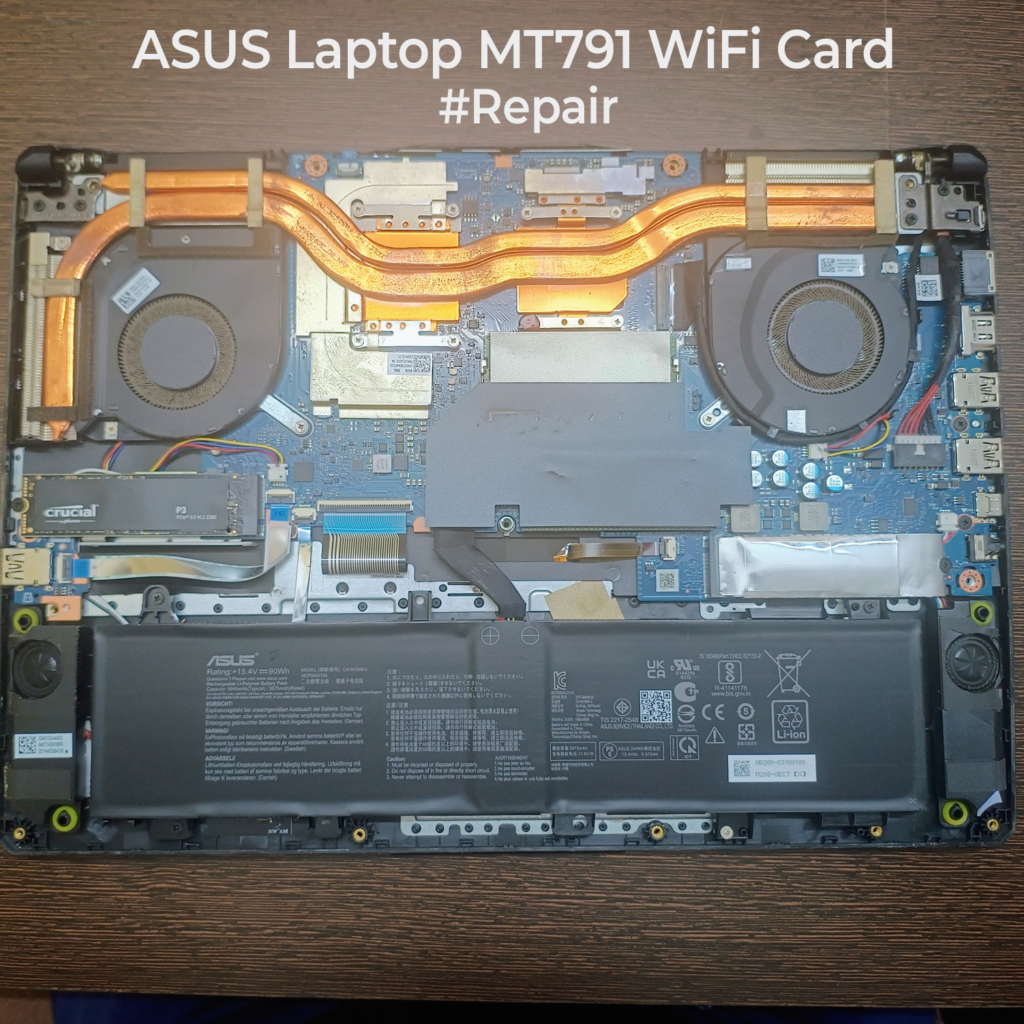
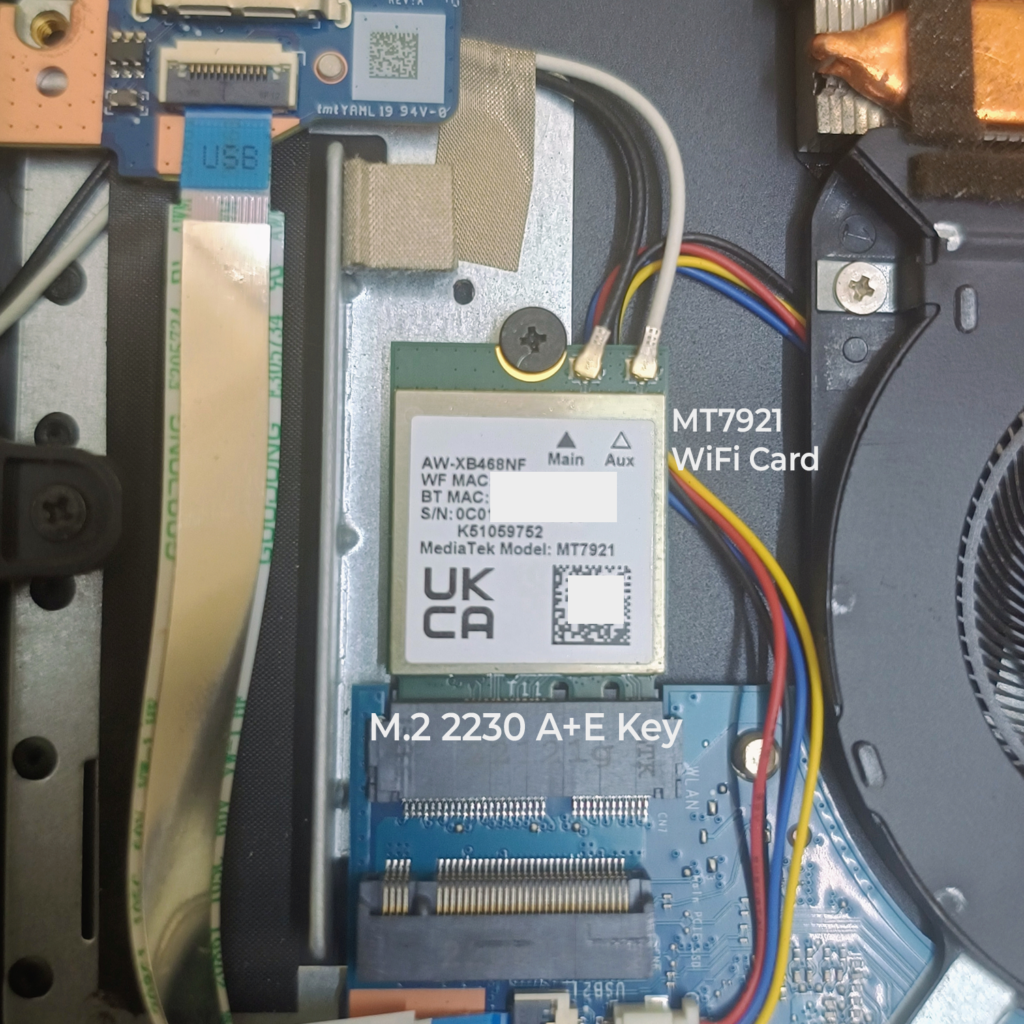
Now, the step most people skip. Always disconnect the battery before touching the card. When you slide an M.2 module in or out, it is easy to slip and short nearby pads with a tool. You do not want live power rails during that moment. On my unit, the WiFi card sits below the SSD, so it likely sees extra heat cycling (Probably a reason why it fails!). Pop the antenna connectors straight up, remove the single hold-down screw, swap the card, then reconnect the two antennas exactly as labelled. One would be the 2.4GHz and the other the 5GHz one.
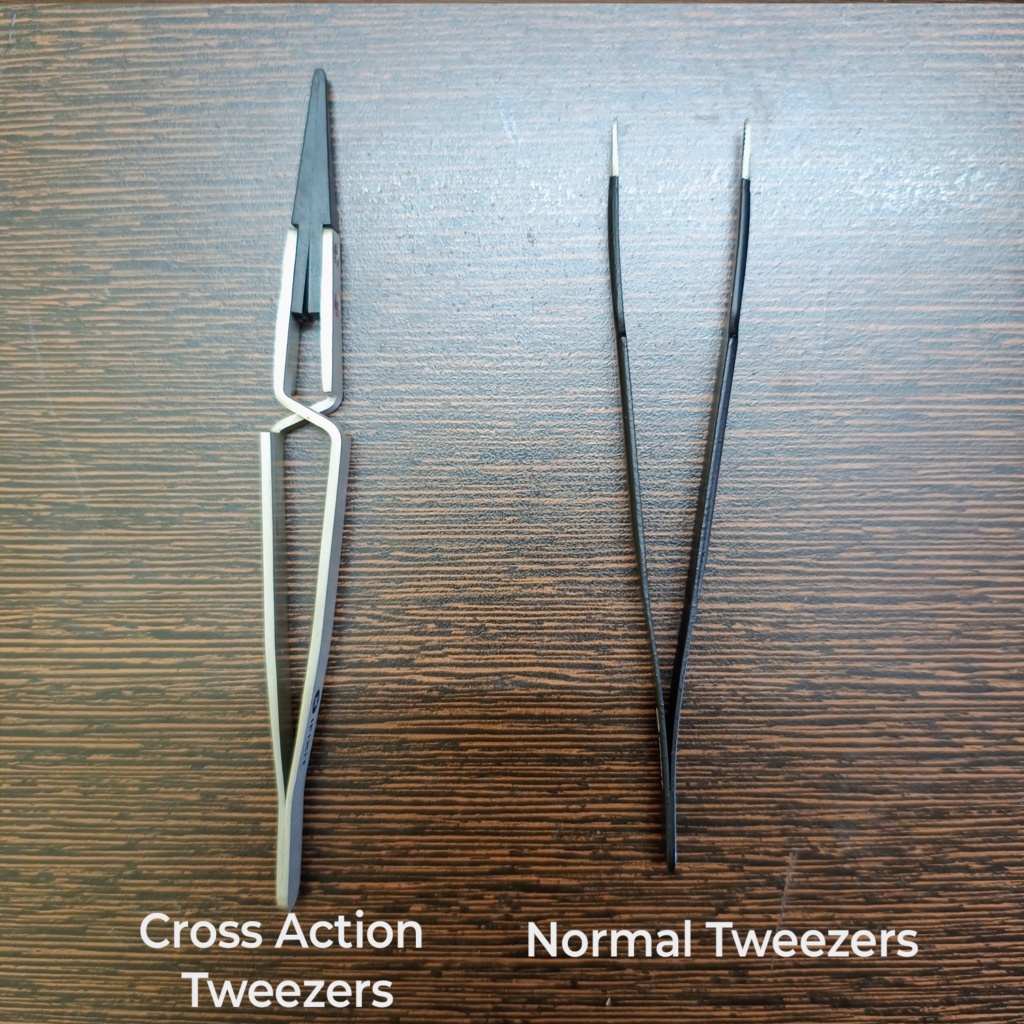
Tweezers help for antenna routing and tiny connectors. Invest in a good pair. You have a normal one and a cross-action one. Cross action tweezers are great because they hold position without constant finger pressure. Most people don’t know of this.
Once the card is in, reassemble, do a quick dusting, then install the driver package and reboot. If you download drivers ahead of time, the first boot after the swap will be smooth.
The only note I want to give you is that, build the habit of debugging before you outsource to a shop. Stay curious, read service guides, and invest in a decent screw set at home. The repair shop should be your last option. Open things up and don’t be scared.
BTW: On most laptop WiFi cards, WiFi uses PCIe lanes, but Bluetooth is a separate USB connection on the same M.2 slot. Only WiFi is PCIe.
0 Comments
Comments are closed.