Back to Basics: Ferrite Beads

Easily one of the most misunderstood parts out there. Folks use them as a magic dust to sprinkle it here and there in the circuit without really understanding its use case. These are very specific, frequency-dependent resistors that you place on purpose, and only after you know what noise you are after. Let’s discuss this today.

A ferrite bead is a small piece of ferrite ceramic with a conductor through it. In most SMD beads, it’s built as multiple layers of ferrite with metal electrodes, arranged, so the current still passes through ferrite material along its path.
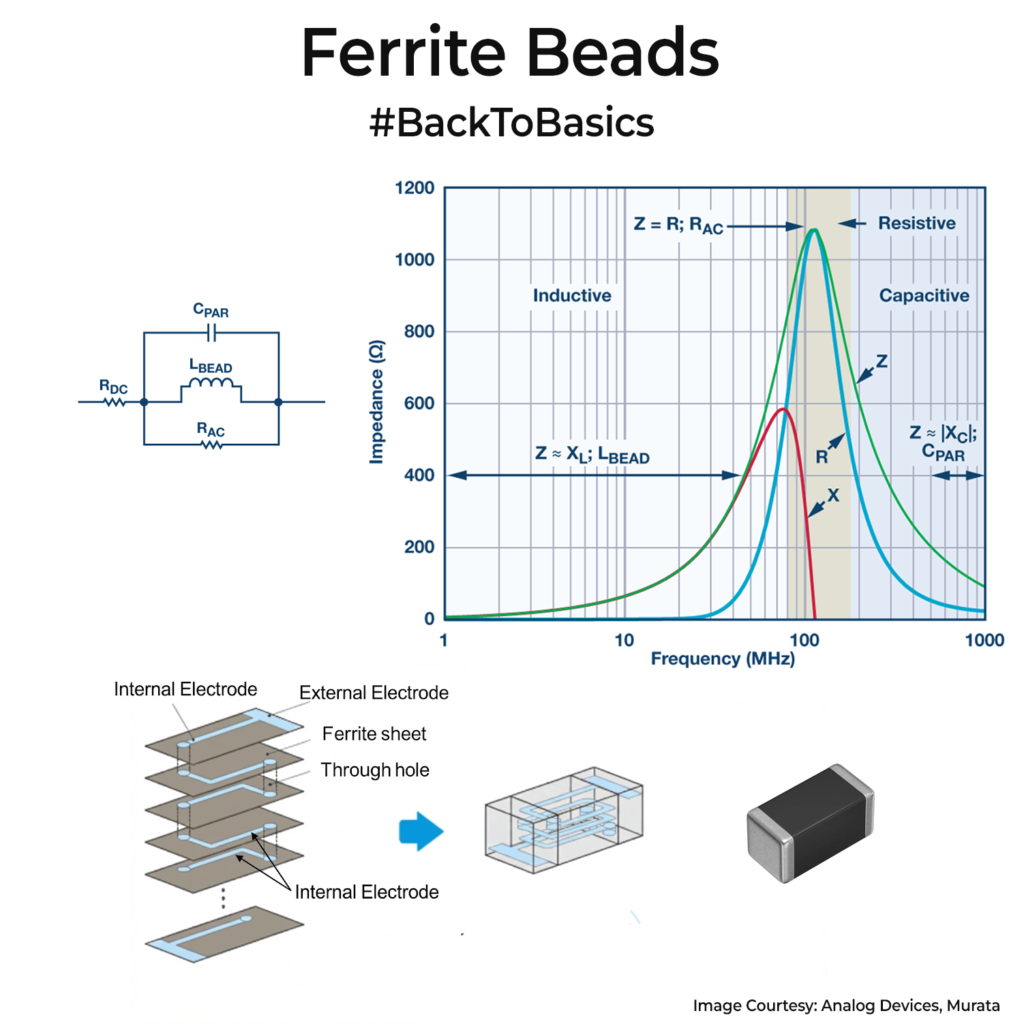
At DC and low frequency, it looks almost like a short (10-300 mΩ range). As frequency rises, its impedance rises first because of inductance. Then the ferrite losses kick in, and the impedance becomes mostly real resistance, so RF energy turns into heat. At still higher frequency, the parasitic capacitance dominates, and the impedance  falls again. That is why you see datasheet impedance curve has a hump.

You use beads when you want to block high-frequency noise without isolating DC. Common cases are splitting a noisy digital 3.3V rail from a quieter analog 3.3V rail, feeding an RF block, cleaning up sensor power, or removing EMI on a cable line together with a shunt capacitor(Check older posts for more details on this).

A ferrite bead datasheet usually starts with a headline like “600Ω @ 100MHz”. That number is the bead’s impedance measured at one test frequency, and the graph beside it shows the full impedance vs frequency curve. Use that curve to match your noise band. If your noise issue is at 10MHz or 500MHz, adding this ferrite bead is useless. To find your noise band, use a near-field probe or spectrum analyser to see the spikes.

Also watch the DC bias. A 1A load can push the ferrite toward saturation and cut the impedance drastically. Also ensure that the ferrite bead can handle the heat when a large current passes through it. It will cause a voltage drop in the rail too. Most people forget to size the bead it correctly for power.
If you liked the post, Share it with your friends!

Tech Explained: Bluetooth 6.2 SCI

Last month, Bluetooth Core 6.2 made a change I have wanted for years. It solves a long-standing pain point in Bluetooth LE when you care about real-time response. Back when I was building low latency MIDI controllers at ACPAD, we were operating in the BLE 4.0 era. On that, I could move plenty of bits, but not shorter data faster. The main issue was the connection timing.

In BLE, a connected link wakes up in repeating connection events. The connection interval is the time between those events. Until 6.2, the minimum connection interval was 7.5 ms, which means your worst case packet can wait 7.5ms for the next connection, even before protocol overhead delays. For tight MIDI timing in real time instrument playing, this delay feels like a sound lag for professional musicians.

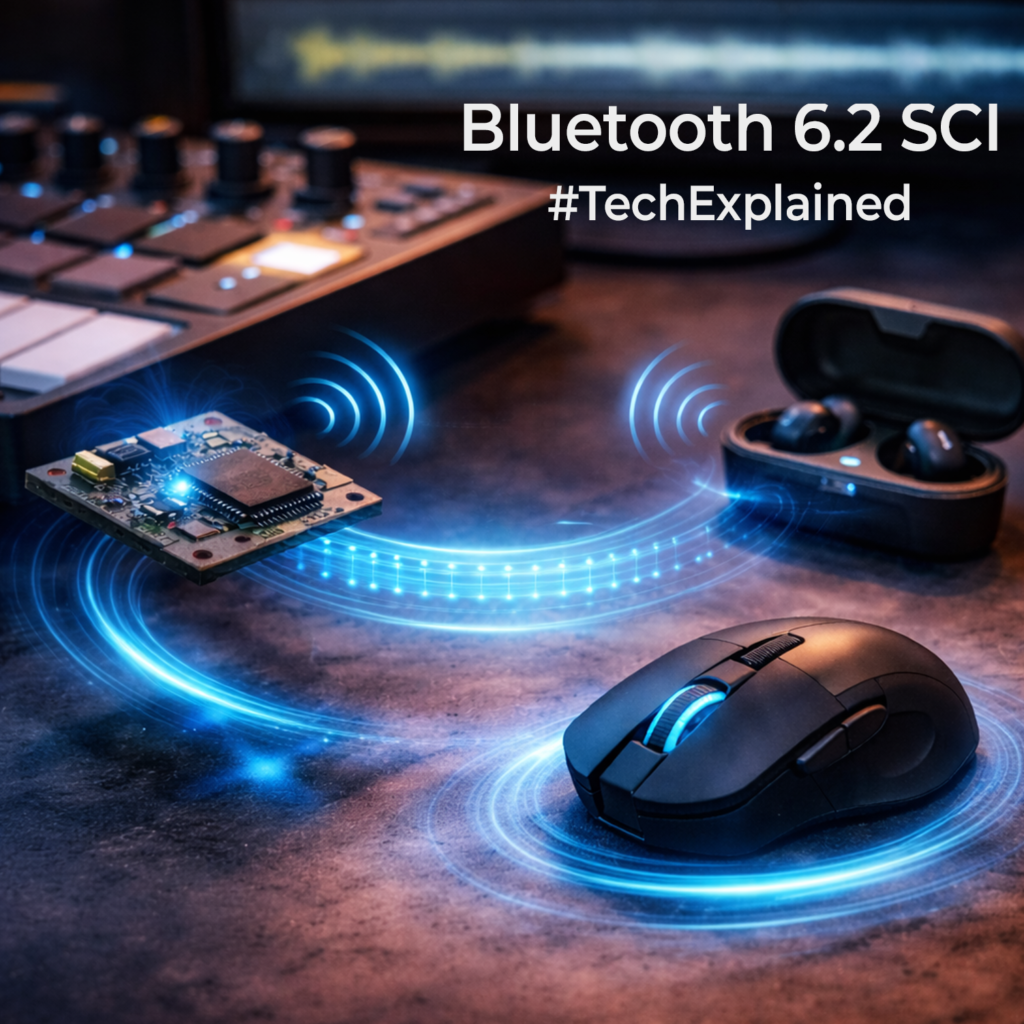
BLE 6.2 introduces Shorter Connection Intervals(SCI), pushing the minimum down to 0.375 ms when both devices support it. This means you can send small packets of data faster. In practice, that means you can get a polling rate over 1kHz. This is a big deal of HID devices like mouse. Gamers don’t use wireless BLE mouse for this exact reason. You will see a large boom in wireless BLE mouse and fall in the mouse with 2.4GHz USB dongles where this limit is not applicable.

Please note that your raw on-air speed is still based on the 2M LE PHY and that has not increased. Shorter intervals just reduce waiting time between opportunities to send small packets.

BTW, do not treat the smallest interval as a default setting. More transfers mean more battery loss. A better option is adaptive timing, meaning run a longer interval while idle, then negotiate a shorter one only during interaction, and return to a longer interval when activity stops. A 6.2 connection still starts at ≥7.5 ms and only then negotiates shorter intervals.

BLE 6.2 can mark some input packets as “flushable”. If packet loss conditions delays them, BLE can drop the old ones instead of sending them late. Good for mice or MIDI, as the late updates feel worse than a missed one.

If you liked the post, Share it with your friends!
1 3 4 5 6 7 99